

No one knows your score but you. This is your personal checkpoint.

Future-Ready Training
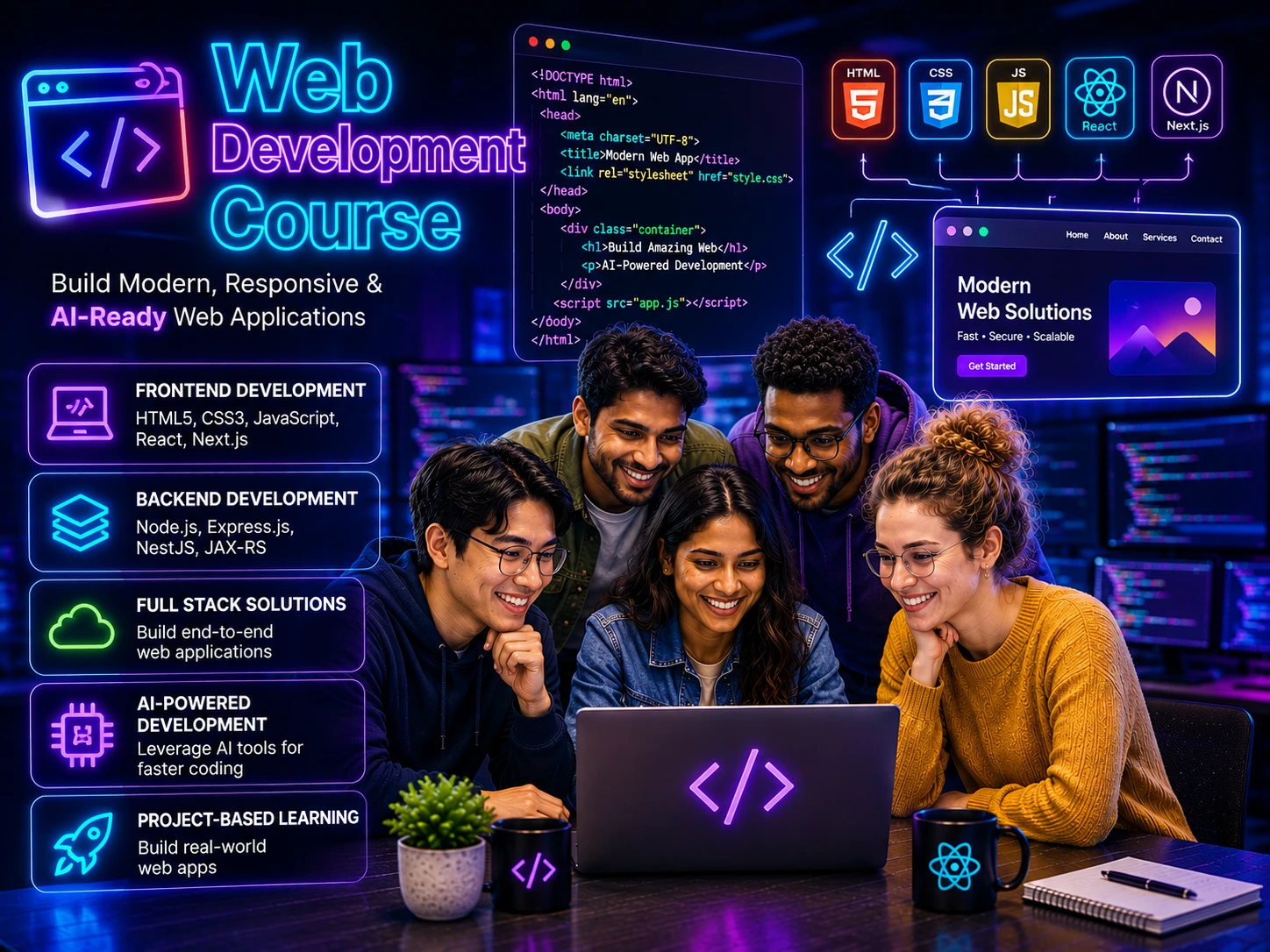
Web Development Course Built for AI-Paired Learning
Web Development Course at Wisen, Chennai, India, builds the foundation every frontend and full stack path depends on. Learn semantic HTML, modern CSS layout with Flexbox and Grid, responsive and accessible design, JavaScript interactivity, browser APIs, debugging and deployment through AI-Paired Training and project-focused development workflows.
“The right Web Development Course path today can shape your software career tomorrow.”
2700+ Career-Focused Learners/Year
Industry Trust From 30+ Corporates
A Community of 17,700+ Trained Learners
27+ Years of Learning Excellence
Develop AI-Ready Career Skills
Learn, Build and Become Project-Ready
Build real capability first, then let AI improve the way you practice and deliver.
Gain Knowledge. Grow Your Career.
Web Development Course Syllabus
The course curriculum for Web Development Course follows a published syllabus with chapter-wise practice, live code review and AI-assisted exercises. It connects Web Development training with web development workflows, so learners build current tooling confidence, project-ready habits and clear career growth.
Semantic markup, modern layout and responsive, accessible design.
Chapter 1HTML Foundations
HTML Foundations
This chapter focuses on How the web works: request, response and rendering, Anatomy of an HTML document, The doctype and document modes and the practice needed to use these concepts confidently in real projects.
- How the web works: request, response and rendering
- Anatomy of an HTML document
- The doctype and document modes
- head, meta tags and character encoding
- The viewport meta tag
- Elements, attributes and nesting rules
- Block and inline level content
- Headings and document outline
- Paragraphs, line breaks and horizontal rules
- Text-level semantics: strong, em, small, mark
- Lists: ordered, unordered and description
- Links, relative and absolute URLs
- Anchor targets and rel attributes
- Images, alt text and figure/figcaption
- Responsive images with srcset and sizes
- The picture element and art direction
- Audio and video elements
- Tables and their correct structure
- Table accessibility: caption, scope and headers
- Entities and special characters
- Comments and code organisation
- Validating HTML
Chapter 2Semantic HTML and Forms
Semantic HTML and Forms
This chapter focuses on Why semantics matter for SEO and assistive tech, header, nav, main, section, article, aside, footer, Choosing section against div and the practice needed to use these concepts confidently in real projects.
- Why semantics matter for SEO and assistive tech
- header, nav, main, section, article, aside, footer
- Choosing section against div
- Landmark roles and page structure
- The details and summary elements
- dialog and native modals
- Time, address and data elements
- Microdata and structured data basics
- The form element and submission
- Input types and their keyboards
- Labels and accessible naming
- Placeholder against label misuse
- Fieldset, legend and grouping
- select, datalist and option groups
- textarea and character limits
- Checkbox and radio patterns
- File inputs and accept rules
- Built-in validation attributes
- Custom validation messaging
- Autocomplete attributes
- Form accessibility and error summaries
- Progressive enhancement for forms
Chapter 3CSS Fundamentals
CSS Fundamentals
This chapter focuses on Ways to apply CSS and their trade-offs, Rules, selectors, declarations and values, Type, class and id selectors and the practice needed to use these concepts confidently in real projects.
- Ways to apply CSS and their trade-offs
- Rules, selectors, declarations and values
- Type, class and id selectors
- Attribute selectors
- Descendant, child and sibling combinators
- Pseudo-classes for state
- Pseudo-elements: before and after
- The :is, :where and :not functions
- The :has relational selector
- Specificity and how it is calculated
- The cascade and origin order
- Inheritance and inherited properties
- The initial, inherit, unset and revert keywords
- Important and why to avoid it
- Cascade layers
- The box model: content, padding, border, margin
- box-sizing and predictable sizing
- Margin collapsing
- Display values and their effect
- Absolute units and relative units
- rem, em, ch, vw, vh and viewport units
- calc, min, max and clamp
Chapter 4Typography, Colour and Visual Design
Typography, Colour and Visual Design
This chapter focuses on Font families and fallback stacks, Web fonts and font-display, Variable fonts and the practice needed to use these concepts confidently in real projects.
- Font families and fallback stacks
- Web fonts and font-display
- Variable fonts
- font-size scales and vertical rhythm
- line-height, letter-spacing and word-spacing
- font-weight and synthetic weights
- Text alignment, wrapping and hyphenation
- text-overflow and line clamping
- Colour models: hex, rgb, hsl and oklch
- Opacity and alpha channels
- Colour contrast and legibility
- Building a colour scale
- CSS custom properties
- Theming with custom properties
- Dark mode with prefers-color-scheme
- Backgrounds, sizing and positioning
- Gradients: linear, radial and conic
- Borders, outlines and border-radius
- Box shadows and layering depth
- Filters and blend modes
- Clipping and masking
- Designing a small token system
Chapter 5Layout with Flexbox
Layout with Flexbox
This chapter focuses on Normal flow and why layout systems exist, The flex container and flex items, flex-direction and the main axis and the practice needed to use these concepts confidently in real projects.
- Normal flow and why layout systems exist
- The flex container and flex items
- flex-direction and the main axis
- justify-content along the main axis
- align-items along the cross axis
- align-self for exceptions
- flex-wrap and multi-line flex
- align-content for wrapped lines
- The flex shorthand explained
- flex-grow and distributing space
- flex-shrink and preventing overflow
- flex-basis against width
- gap in flex containers
- order and its accessibility risk
- Centring reliably
- Navigation bars with flex
- Card rows and equal heights
- Sidebar and content splits
- Media objects and avatar rows
- Sticky footers
- Common flexbox bugs and fixes
- When grid is the better choice
Chapter 6Layout with CSS Grid
Layout with CSS Grid
This chapter focuses on Grid containers and grid items, Defining columns and rows, The fr unit and the practice needed to use these concepts confidently in real projects.
- Grid containers and grid items
- Defining columns and rows
- The fr unit
- repeat, minmax and auto-fit
- auto-fill against auto-fit
- Explicit and implicit grids
- grid-auto-rows and auto-flow
- Line-based placement
- Spanning columns and rows
- Named grid lines
- Named template areas
- Aligning items within cells
- Aligning the whole grid
- Nested grids
- Subgrid
- Gap and gutters
- Page-level layouts with grid
- Dashboards and card walls
- Magazine-style layouts
- Combining grid and flexbox
- Container queries with grid
- Debugging grids in DevTools
Chapter 7Responsive and Adaptive Design
Responsive and Adaptive Design
This chapter focuses on Mobile-first thinking, Media queries and their syntax, Choosing breakpoints from content and the practice needed to use these concepts confidently in real projects.
- Mobile-first thinking
- Media queries and their syntax
- Choosing breakpoints from content
- Range syntax in media queries
- Orientation and aspect-ratio queries
- Container queries and component-level responsiveness
- Container query units
- Fluid typography with clamp
- Intrinsic sizing: min-content, max-content, fit-content
- Responsive images revisited
- Responsive tables
- Responsive navigation patterns
- Touch targets and spacing
- prefers-reduced-motion
- prefers-contrast and forced colors
- Print stylesheets
- Handling long words and overflow
- Safe areas and device notches
- Testing across real devices
- Emulation in DevTools
- Common responsive failures
- Building a responsive page end to end
Chapter 8Positioning, Transitions and Animation
Positioning, Transitions and Animation
This chapter focuses on Static, relative, absolute, fixed and sticky, Containing blocks explained, z-index and stacking contexts and the practice needed to use these concepts confidently in real projects.
- Static, relative, absolute, fixed and sticky
- Containing blocks explained
- z-index and stacking contexts
- Overflow, scroll containers and clipping
- Scroll snapping
- Scroll-driven effects
- Sticky headers and sidebars
- Tooltips and popovers
- The top layer and the popover attribute
- CSS anchor positioning
- transform: translate, scale, rotate, skew
- transform-origin and 3D transforms
- will-change and compositing
- transition properties and timing
- Easing functions and custom curves
- Animating the right properties for performance
- Keyframe animations
- Animation timing, iteration and fill modes
- Staggered and sequenced animations
- View transitions
- Respecting reduced motion
- Debugging animation performance
Chapter 9CSS Architecture and Tooling
CSS Architecture and Tooling
This chapter focuses on The specificity problem at scale, BEM and naming conventions, Utility-first approaches and the practice needed to use these concepts confidently in real projects.
- The specificity problem at scale
- BEM and naming conventions
- Utility-first approaches
- CSS Modules and scoping
- Sass: variables, nesting and partials
- Sass mixins and functions
- Design tokens and single sources of truth
- Component-driven stylesheets
- Managing global styles and resets
- Normalising across browsers
- File organisation for large projects
- Avoiding dead CSS
- Critical CSS and above-the-fold rendering
- Reducing bundle size
- Autoprefixing and browser support data
- Progressive enhancement with @supports
- Linting stylesheets
- Documenting a style system
- Reviewing CSS in pull requests
- Refactoring legacy stylesheets
- Measuring style recalculation cost
- Style guides and living documentation
Chapter 10Accessibility, Performance and Project Work
Accessibility, Performance and Project Work
This chapter focuses on The accessibility tree, Semantic HTML as the first accessibility tool, ARIA roles, states and properties and the practice needed to use these concepts confidently in real projects.
- The accessibility tree
- Semantic HTML as the first accessibility tool
- ARIA roles, states and properties
- When not to use ARIA
- Keyboard navigation and focus order
- Visible focus indicators
- Skip links and landmarks
- Accessible names and descriptions
- Live regions and dynamic updates
- Colour contrast requirements
- Testing with a screen reader
- Automated accessibility audits
- Image optimisation and modern formats
- Lazy loading and priority hints
- Font loading performance
- Reducing layout shift
- Core Web Vitals in practice
- Lighthouse reports and what to fix first
- Project: building the page structure
- Project: styling the design system
- Project: responsive and accessible passes
- Project: performance audit and final review
HTML Foundations
This chapter focuses on How the web works: request, response and rendering, Anatomy of an HTML document, The doctype and document modes and the practice needed to use these concepts confidently in real projects.
- How the web works: request, response and rendering
- Anatomy of an HTML document
- The doctype and document modes
- head, meta tags and character encoding
- The viewport meta tag
- Elements, attributes and nesting rules
- Block and inline level content
- Headings and document outline
- Paragraphs, line breaks and horizontal rules
- Text-level semantics: strong, em, small, mark
- Lists: ordered, unordered and description
- Links, relative and absolute URLs
- Anchor targets and rel attributes
- Images, alt text and figure/figcaption
- Responsive images with srcset and sizes
- The picture element and art direction
- Audio and video elements
- Tables and their correct structure
- Table accessibility: caption, scope and headers
- Entities and special characters
- Comments and code organisation
- Validating HTML
The language core, asynchronous patterns and browser APIs.
- Chapter 1Getting Started with JavaScript
- Chapter 2Control Flow and Functions
- Chapter 3Scope, Hoisting and Closures
- Chapter 4Objects, Prototypes and Classes
- Chapter 5Arrays and Collections
- Chapter 6Strings, Numbers, Dates and Regular Expressions
- Chapter 7Asynchronous JavaScript
- Chapter 8The DOM and Browser APIs
- Chapter 9Modules, Tooling and Error Handling
- Chapter 10Testing, Performance and Project Work

Upskilling & Induction Programs
Corporate Web Development Course
Corporate web development course delivery covers the foundation every application sits on: semantic markup, modern CSS layout, responsive design, accessibility and JavaScript in the browser. It runs on-site in Chennai or live online and is practised by building interfaces to a production standard. Standards apply.
Industry-Relevant Web Development Skills
Semantic HTML, CSS layout and design systems, responsive behaviour, accessibility and browser performance fundamentals.
AI-Enabled Learning
Work effectively with Claude and AI development tools while human reasoning, engineering judgement and ownership stay at the centre of every Web Development decision.
Induction & Upskilling Programs
Structured learning paths for new hires, freshers and experienced developers adopting or strengthening Web Development skills.
Hands-On Web Workflows
Build responsive, accessible pages, debug layout and performance in devtools, and take an interface from design to deployment.
Customized Corporate Programs
Align training with your roles, technology stack, delivery timeline, live projects and organisational requirements.
AI-Evaluated Skill Development
Evaluate practical progress through AI-assisted assessments that identify strengths, skill gaps and areas for improvement.
Structure. Style. Interact.
Web Programming Course Skills You Gain
Fifteen capabilities you leave with — semantic structure, responsive layout, accessible interfaces and the JavaScript that makes them work.
Semantic HTML Structure
Mark up pages with the elements that describe the content, so browsers, assistive technology and search engines read the same document.
Modern CSS Layout
Lay out interfaces with Flexbox and Grid, and reason about the box model, stacking and containing blocks instead of guessing at fixes.
Responsive Design
Build layouts that hold from a phone to a wide desktop using fluid units, sensible breakpoints and container queries.
Design System Thinking
Turn colour, type and spacing decisions into reusable custom properties and utility layers rather than one-off rules.
Accessible Interfaces
Apply landmarks, labels, focus order and colour contrast so keyboard and screen reader users can complete every flow.
Forms & Validation
Build forms that validate natively, report errors clearly, and stay usable on touch devices and with autofill.
Page Performance
Control image formats, font loading and render-blocking assets, then read Core Web Vitals to confirm the change worked.
Cross-Browser Confidence
Use dev tools, feature detection and progressive enhancement to ship interfaces that behave the same across browsers.
Core JavaScript Foundations
Work confidently with types, coercion, scope, hoisting and strict mode, so language behaviour stops being a source of surprises.
Functions, Closures & Scope
Use closures, higher-order functions and lexical scope deliberately to build abstractions that stay small and testable.
Objects & Prototypes
Model data with objects, understand the prototype chain, and know when a class, a factory or a plain object is the right tool.
Arrays & Data Transformation
Shape data with map, filter, reduce and the modern collection APIs instead of hand-rolled loops and mutation.
Asynchronous JavaScript
Compose promises, async and await, and cancellation correctly, and reason about the event loop, microtasks and ordering.
ES Modules & Project Structure
Split an application into ES modules with clear boundaries, and understand how bundlers resolve, tree-shake and split them.
DOM & Event Handling
Query, update and delegate events across the DOM efficiently, and keep interface state and markup in step.
How the verification works
How you verify your Web Development skills independently
Most training providers set their own test and mark their own paper. We do not. At the end of each stage of the Web Development Course you check your own readiness using your own ChatGPT, Claude, Gemini or other AI account. Wisen does not write the questions, does not see your answers, and does not record your score.
The reasoning is straightforward. A score we control proves very little — to an employer, or to you. A score produced by a tool we have no influence over is worth something. You ask the AI to test you on Web Development, it decides what to ask, and the result belongs to you alone.
Seventy per cent is the mark we treat as ready. Score seventy or above and you move on to the next stage. Score below it and we work through the gap with you: identify what was missed, teach it again, practise it, then go back to the AI and check. You repeat that loop as many times as it takes.
In short
- You use your own AI account, not one of ours.
- We do not write the questions and cannot influence them.
- Your score stays private — we never see it.
- Below seventy per cent, we work through the gap with you and you verify again.
Our Unique Promise
Independent AIVerification Checkpoint
You learn Web Development Course. AI verifies. Wisen helps you grow beyond 70%.
Use ChatGPT, Claude, or another AI tool to validate your Web Development Course readiness.
It is your learning journey. Go at your pace.
Every step you take today builds your tomorrow.
Our mission is your growth, always.
Placement Assistance
Career Support You Can Count On
This web development course is about becoming genuinely hireable. We are honest that we cannot guarantee a job — we can guarantee the training, the portfolio and the guidance behind your application.
- 01
Gain 2+ Years of Professional Knowledge
Semantic structure, responsive layout, accessibility and DOM scripting are the four things a junior is expected to have already solved. Doing all four properly is what puts a fresher’s profile at a two-year level.
- 02
Resume / Biodata Support
Get expert guidance to build a strong, professional resume that highlights your skills, projects and achievements.
- 03
Portfolio Development
Build real-world projects and a strong portfolio that demonstrates your practical skills to potential employers.
- 04
Interview Preparation
Front-end interviews start with a layout task and a live browser. We practise those under observation — build it, explain the choice, defend the accessibility decision — and review the recording with you.
- 05
Job Search Guidance
We map out where web development openings sit in Chennai and remotely, which agencies and product teams hire freshers, and how to apply without disappearing into a portal.
- 06
Placement Assistance
We assist you in identifying relevant opportunities and connecting with potential employers.
- 07
Independent AI Verification Checkpoint
Your learning, projects and skills are verified by our Independent AI Verification System to ensure objective and unbiased evaluation.
- 08
Future-Ready Knowledge
Browsers ship platform features constantly. You learn how the platform reasons — cascade, box model, event model — so a new CSS or DOM feature is something you read once and use.
Our Commitment
Employment is not part of the fee. Your results come from your own practice, your assessments and how you interview. Our commitment is unlimited support at every step, for as long as you are looking.
Structure. Practice. Master the Web.
HTML CSS JavaScript Course Materials

The HTML CSS JavaScript course gives you material that stays useful long after the batch ends. Notes explain semantic structure, layout and browser behaviour, lab activities build one page from markup to interaction, and exercises ask you to fix layout, accessibility and script problems on pages you did not write. All of it is authored in-house and revised as browsers and platform features move. Nothing is padded.
What You Will Receive
Web Development Notes & Explanations
Explanations of semantic markup, the box model, Flexbox, Grid and DOM scripting, written for practising developers rather than copied from documentation.
Guided Lab Activities
Labs that carry one change through planning, implementation and verification — a responsive, accessible page with interactive behaviour among them.
Hands-On Exercises
Independent tasks on fixing layout, accessibility and scripting defects on existing pages, worked without a walkthrough to lean on.
Worked Walkthroughs
Recorded sessions showing project setup, the change itself, and the checks that prove it works.
Progressive Learning Path
A route from the fundamentals to accessible responsive layouts driven by real JavaScript, in the order the live sessions follow.
Revision & Reference Sheets
Compact references for layout properties, accessibility checks and DOM APIs, plus the review habits that keep AI-assisted work safe.
What Makes Our Web Development Learning Materials Different?
27+ Years of Experience
Authored by trainers who weigh every web development decision against decades of delivered software.
Human-Authored Content
Written by trainers who work with web development daily, then reviewed line by line.
Original Learning Materials
Created in-house, not assembled from documentation or shared prompt collections.
Practice First
Every technique is applied to a real web development task and its result inspected.
Continuously Refined
Revised as web development and developer tooling move, so sessions reflect what works this month.
Review Discipline Built In
Materials teach reading the diff and testing the change, not accepting output on trust.
Plan. Build. Publish.
Web Development Course Duration & Batch Timings
Web Development Course from Wisen IT Solutions, Chennai runs live in two paces over 120 Hrs of instructor-led training. The lecture and practical time is split 50 : 50, with the practical half weighted towards building pages and fixing layout, accessibility and script defects.
Total Learning Hours
120 Hrs
Lecture : Practical
50 : 50
Batches
Weekday & Weekend
- Instructor-led sessions
- Guided lab activities
- Hands-on web development practice
- Reviewed project work
Normal Track
2.5 Hours / Session
48 sessions · about 10 weeks
A steady pace for developers taking web development training alongside a full working day.
- Working Developers
- College Students
- Team Leads
- Weekend Batches
Fast Track
5 Hours / Session
24 sessions · about 5 weeks
A concentrated schedule through the same web development syllabus for learners free on weekdays.
- Full-Time Learners
- Job Seekers
- Fresh Graduates
- Career Switchers
What Every Seat Includes
- Live instructor-led sessions
- Hands-on web development coding
- Guided lab activities
- Independent exercises
- AI-assisted learning
- Code review and feedback
- Doubt clarification
- Certificate on completion
Same Syllabus · Same Labs · Same Evaluation · Same Outcome
Whichever batch of the Web Development Course you join, the syllabus, lab activities, exercises and evaluation are identical. Only the pace differs, so pick the track that fits the time you can genuinely give it each week.
Live online, worldwide
Join Web Development Course from anywhere in the world
Every session is taught live by a practising engineer — never a pre-recorded video. Batches run to Indian Standard Time, and the timing is adjusted to suit your time zone wherever you are.
Live, not recorded
You write code during the session, ask questions as they come up, and have that code reviewed.
Your time zone, any country
Weekday and weekend slots in IST. If none of them suit where you live, we schedule a batch that does.
Pay from outside India
International debit and credit cards, PayPal and direct bank transfer are all accepted.
Balanced Learning. Real Pages. Career-Ready Skills.
Web Development Lecture-Practical Ratio
Web Development is a practice, not a subject to read about. The Web Development Course is delivered on a 50 : 50 lecture-practical ratio, so every concept is applied in the same session it is explained, on code that behaves like the code you will be paid to write.
Sessions are spent building pages and repairing layout, accessibility and script defects — which is what delivery work and technical interviews actually ask for, rather than a description of it.
50%Theory
50%Practical
50% Theory
Where each web development idea comes from, and when it is the right one to reach for.
- HTML & CSS: HTML Foundations
- HTML & CSS: Layout with CSS Grid
- HTML & CSS: Accessibility, Performance and Project Work
- Getting Started with JavaScript
- JavaScript: Strings, Numbers, Dates and Regular Expressions
- JavaScript: Testing, Performance and Project Work
50% Practical
What you do with it, in the same session, on code that behaves like production.
- Building a responsive page from an empty file
- Rebuilding a layout with Grid and Flexbox
- Fixing contrast, focus order and keyboard traps
- Wiring form validation and error messaging
- Live coding in the browser console and editor
- Refactoring callback code to async and await
Why a 50 : 50 Split Works for Web Development
See It Work First
Each idea is demonstrated running before you are asked to build with it.
Build It Immediately
Every concept becomes web development code you write while it is still fresh.
Work on Real Code
Practice happens on realistic repositories, not on disposable snippets.
Fail Where It Is Safe
Break it in the room, where a trainer can explain what actually went wrong.
Prove the Skill
Leave able to demonstrate the work, not only to talk about it.
Our Learning Philosophy
Every web development concept is followed by something you build yourself.
Clear Entry Bar. No Guesswork. Career-Ready Start.
Web Development Course Prerequisites
This Web Development Course starts at semantic HTML and modern CSS, so no web background is assumed. Layout, responsive design, accessibility and the JavaScript that makes a page behave are introduced from the first session.
The Web Development Course is delivered live online and in Chennai, so everyone starts the same exercises from the same baseline.
Basic ComputerLiteracy
- Comfort installing software on your own laptop
- Reading English technical documentation
- Saving, organising and finding files on your machine
- Running commands in a terminal — covered if new
EngineeringDiscipline
- Willingness to review every change you write
- Care with credentials and private repositories
- Habit of describing a defect precisely
- Commitment to the hands-on Web Development Course builds
Web WorkspaceSetup
- A laptop with a stable internet connection
- VS Code plus a working terminal
- A modern browser with developer tools
- Node.js and npm — setup guidance provided
Who Can Join?
- Students & Graduates
- Students & Career Switchers
- Tech Leads & Architects
- Teams bringing designers closer to the browser
The Stack. End to End.
Web Development Course Tools & Technologies
The Web Development Course is taught inside the tools the work actually happens in. HTML and CSS are taught in the browser itself — markup written in the editor, layout inspected in DevTools and every rule checked against a real viewport rather than a screenshot. JavaScript is taught in the runtime you will actually ship to — Node.js and npm at the terminal, Chrome DevTools open beside the editor and the event loop traced on running code.
You leave able to build an accessible, responsive page with no framework underneath it. You leave able to read and write modern JavaScript without a framework hiding it from you. Every tool listed below is used in the sessions rather than only named in them.
HTML & Semantics
- Semantic Elements
- Forms & Inputs
- Media & Embeds
- Accessibility Tree
- Links & Navigation
- Document Head & Meta
CSS Layout
- Flexbox
- CSS Grid
- Media Queries
- The Box Model
- Positioning
- Container Queries
Language Core
- Types & Coercion
- Functions & Closures
- Objects & Prototypes
- ES Modules
- Iterators & Generators
- Destructuring & Spread
Async & Data
- Promises
- async / await
- Fetch API
- The Event Loop
- JSON & Web Storage
- Array Methods
Learning Outcome
You finish the Web Development Course able to build accessible, responsive pages from semantic markup and write modern JavaScript that runs in the browser and on the server — through project work you can defend in review.
- Write Semantic HTML
- Lay Out With Grid
- Command the Language
- Handle Async Work
Primary Sources
Web Development Course Official References
The standards and the measurements the course builds against, published by the bodies that define them.
- WHATWG — HTML Living Standard
The standard that defines the document model every page in the course is built on.
- web.dev — Core Web Vitals
Google’s definition of the loading, interactivity and stability metrics we build against.
Got Questions - Quick Answers
Frequently asked questions
Is there real hiring demand for the Web Development Course skills in Chennai?
Product companies, global capability centres and services firms in Chennai all run teams on this stack, which keeps steady demand behind the Web Development Course. Because the HTML CSS JavaScript Course is used for new builds and for long-lived applications alike, that demand spans startups and established engineering organisations.
Can freshers and non-IT graduates join HTML CSS JavaScript Training?
Yes. Freshers and graduates from non-IT streams join regularly, and HTML CSS JavaScript Training starts from the fundamentals before moving into advanced work. If your programming basics are thin we will say so before you enrol, and suggest the order in which to take the Web Programming Course and its prerequisites.
What is the refund policy if I enrol in the Web Development Course?
We run a one-week evaluation instead of a one-hour demo class. A ₹2,000 registration fee reserves your seat in the Web Development Course; attend the first week of live sessions and, if the training is not the right fit, that registration fee is refunded in full. If you register but cannot attend, it converts to Training Credit valid for 12 months. Once the course fee is paid, HTML CSS JavaScript Training fees are transferable once, within a month, if you leave before two weeks, and are neither refundable nor transferable after two weeks of attendance.
What placement support do I get with the Web Programming Course?
We do not promise a job, and you should be wary of anyone who does. What the Web Programming Course includes is preparation: we help you prepare your biodata, build a portfolio from work you have actually done, and identify the knowledge gaps that would cost you an interview. That review covers the the Web Development Course skills interviewers ask about today and the ones worth learning next, so you can keep preparing after the course ends.
- 27+
- Years of training
Delivering technical training from Chennai since 1996. - 17,700+
- Learners empowered through training
Corporate teams, IT working professionals, career switchers and students. - 2,700+
- Happy students / year
Learners completing our programmes every year. - 30+
- Corporate clients
Product companies, service firms and startups.
Corporate training clients
Teams that train with Wisen IT Solutions, Chennai, India
Engineering teams across product companies, IT services firms and startups run their JavaScript, Angular, React and Next.js upskilling and induction programs with us.

Altimetrik 
Aparajitha Corporate Services 
Caresoft 
Dzine Hub 
Firstsource 
Gigamon 
Helios and Matheson 
NextGen Healthcare 
Perpetuuiti Technosoft 
R Systems 
SRM Institute of Science and Technology 
Temenos 
The Hindu 
Tamil Nadu Electricity Board 
WABCO

Build JavaScript for the AI-era
Plan your JavaScript training with Wisen IT Solutions, India
Tell us where you are today — a beginner, a working developer, or a team with a delivery deadline — and we will map the right course, format and schedule.
Think with AI. Don't Depend on AI.